
Integrating Google Shopping and Walmart Marketplace with Your Shopify Store
Written and edited by: Eric

Hey everyone! How’s everything going out there?
Eric Boisjoli here. Today I thought I’d follow up on my marketplace integration guide with the two of the marketplaces I skipped … (fun drumroll for fun here) Google Shopping and Walmart Marketplace. Both because I’m truly a completionist and because they’re fundamentally different beasts, at least where integration with Shopify is concerned. Google Shopping wants everyone selling everything everywhere (all at once), and so deliberately tries to make integrating easy.
On the other side. Walmart only wants specific sellers who stack up to their specific standard. So they take an exclusivity centric approach to marketplace integration. They can both become significant sources of revenue for the right retailers, but the path to that can vary.
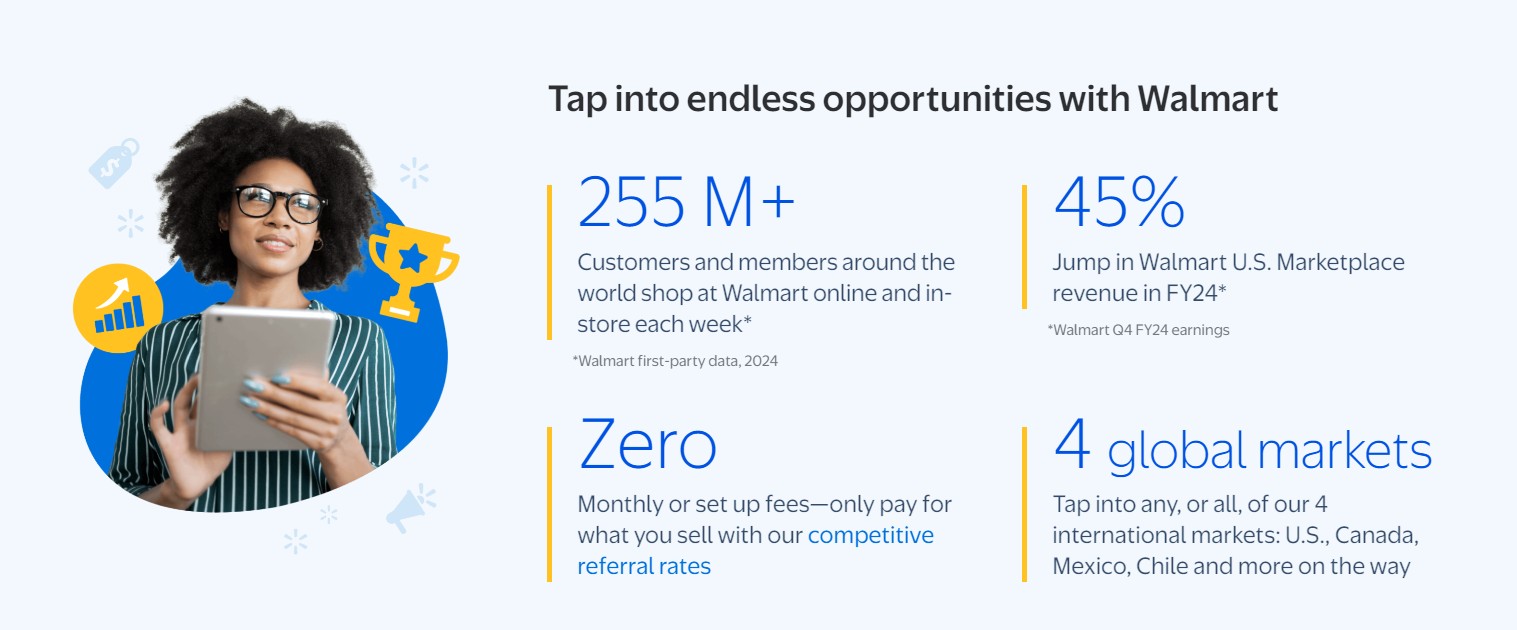
Honestly. Their technical dos and don’ts almost tell this whole story. Google Shopping requires a properly formatted product feed and a Google Merchant Center account that you can set up in minutes. Walmart requires an application approval process with an acceptance rate so low they won’t publish it, plus technical integration that makes Amazon look friendly. Yet both platforms are increasingly critical for multi-channel selling, with Google Shopping driving product discovery, and Walmart offers access to 120 million monthly unique visitors.
Understanding the respective philosophies of the two marketplaces (literally how they think about you) at a technical level should help you decide whether they’re worth pursuing and how to implement them properly. Which you should take the time to do, because just installing an integration app won’t mean you’re actually set up to succeed on either platform. The devil, as always, lives in the data structures, feed optimizations, and ongoing maintenance requirements.
The Technical Architecture of Google Shopping
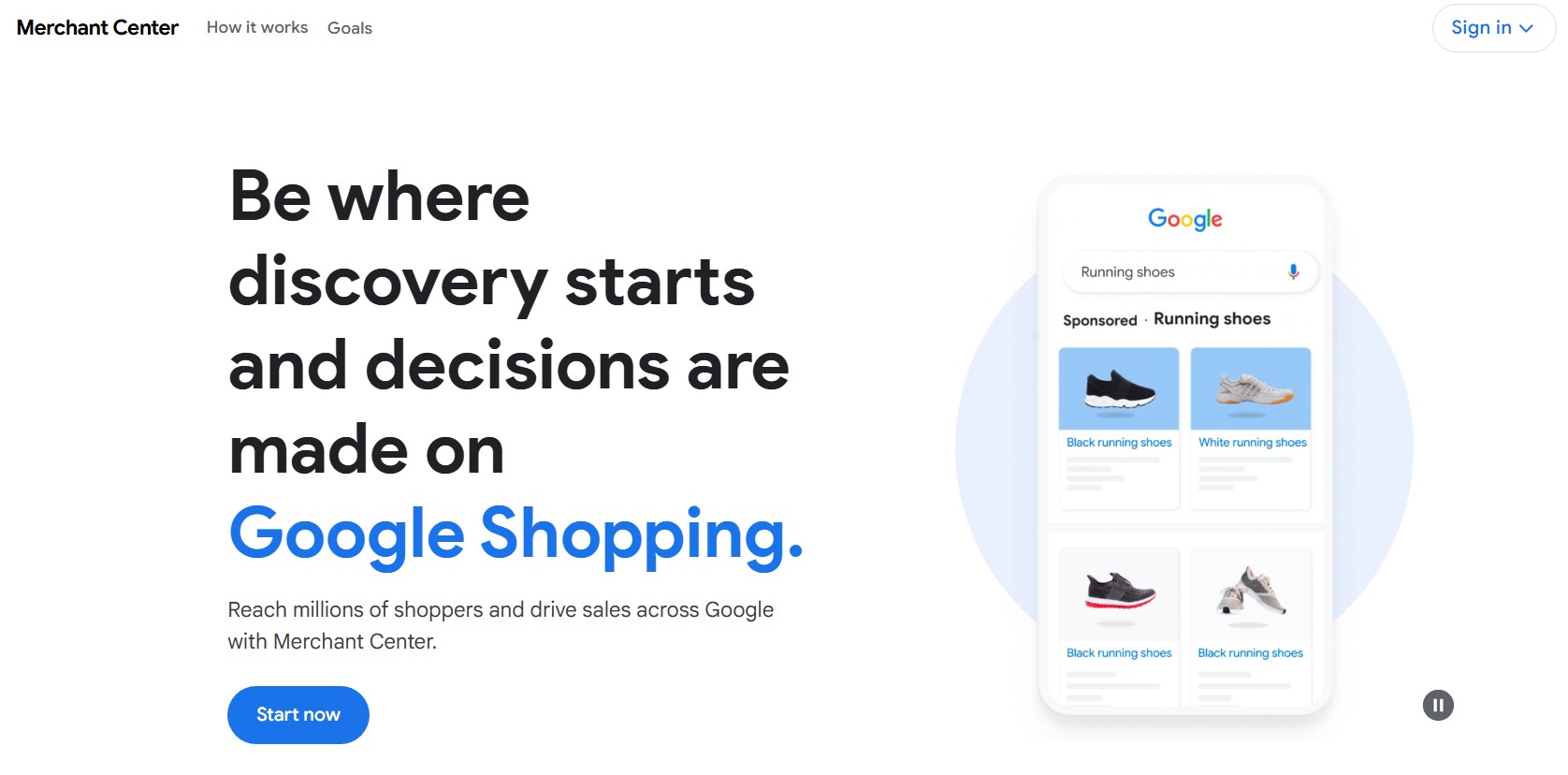
Since it’s technically the technically “simpler” of today’s two marketplaces, let’s start with Google Shopping. Shopping is centered around Google’s Merchant Center, which ingests your product data through feeds (like the hungriest of hungry hippos) then makes it available across Google’s properties. The architecture is relatively straightforward, but that doesn’t mean that it is “simple”.
Your store’s product data will flow from Shopify to Google one of three ways. Through primary feeds using Google’s Merchant API for direct integration. Through supplemental feeds for overriding specific attributes, or through scheduled fetches of hosted feed files. Most of the integration apps you’ll find in Shopify’s App Store use the Content API. Both because it supports real-time updates, and because it handles the inventory synchronization better than static feeds.
For instance. Shopify’s official Google Shopping integration app, Google and YouTube uses OAuth 2.0 for authentication and maintains a persistent connection to your Merchant Center. It syncs products whenever you save changes in Shopify, which sounds great for the seconds before it hits you the app also immediately syncs your mistakes. No buffer, no review period, just instant propagation of an accidental price change to millions and millions of potential customers.
Feed specifications for Shopping require attention to detail that most merchants underestimate. Google’s product data specification has 50+ attributes. Only about 12 of them are required, but the optional attributes can (lets just say) dramatically impact your visibility and performance. The difference between a basic feed with required fields and an optimized feed with custom labels, product highlights, and proper categorization, can be substantial in terms of impression volume.
Now. GTIN (Global Trade Item Number) handling deserves special mention. Google requires GTINs for all branded products in certain categories. If you’re missing GTINs, your products will only earn limited visibility. The Shopify integration handles this by setting identifier_exists to false when GTINs are missing, but frankly. That’s a band aid at best as products without proper identifiers can see 40% lower click-through rates, according to Google’s own performance data.
The Technical Requirements of Walmart Marketplace
It won’t be a surprise to see me say that Walmart integration is a different animal. Where Google accepts everyone, and lets the algorithm sort them out, Walmart gates access at multiple levels.
Getting in is not 100% unlike the third-party e-commerce marketplace acceptance equivalent of an adeptly executed frontside noseblunt slide. Seriously. First, you’ll need approval to sell. Then you’ll need API credentials. Then you’ll need to pass their product validation. Each step has its own you’re likely to be rejected points. Walmart’s API uses OAuth 2.0 authorization with a twist. Instead of standard bearer tokens, they use a signature-based authentication that requires generating a hash of your request parameters with your consumer ID and private key. Get the signature wrong and you’ll start getting cryptic 401 errors their documentation barely addresses.
Their product feed structure will make Google’s look simple. The marketplace requires up to 100 attributes per product depending on category, with different requirements for each vertical. Electronics need different fields than apparel, which need different fields than home goods. Miss a required field for your category, and the entire feed fails. Not just that product. The entire feed.
Synchroning your inventory with Walmart Marketplace will also be particularly demanding. They require inventory updates within ten minutes of any change and track your update latency. Fall behind and they’ll throttle your API access or worse, may even suspend your selling privileges. In other words your integration will need robust queuing, retry logic, and error handling. The simple webhook-based approaches that worked with Google will straight face plant on Walmart
Their order management requirements will add another layer of complexity to that. Walmart expects order acknowledgment within 4 hours, shipment confirmation with valid tracking within 24 hours, and strict adherence to their shipping time standards. Miss these SLAs and you’ll see your seller scorecard plummet, which affects your product visibility and can lead to suspension.
Marketplace Integration Apps That’ll Work
For Google Sh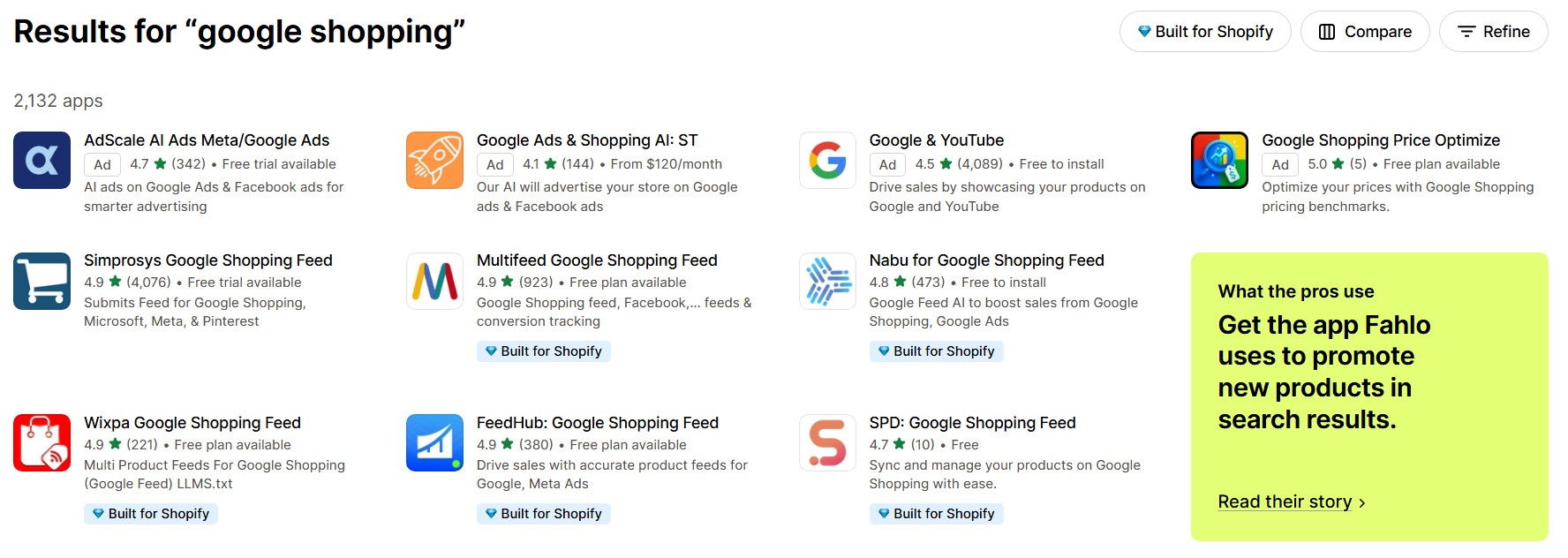 opping, the integration application landscape is pretty densely populated. That Google YouTube app I mentioned earlier is free and handles basic integration reasonably well. It also manages product feed generation and syncing. For store owners who need more control, Simprosys offers advanced feed customization, multi-country feeds, and better error handling. Then there’s Flexify Google Shopping Feed, which arguably probably provides the best middle ground. It offers custom rules for feed optimization, automated GTIN fetching, and supplemental feed support. Their metafield mapping alone justifies the cost if you have complex product data.
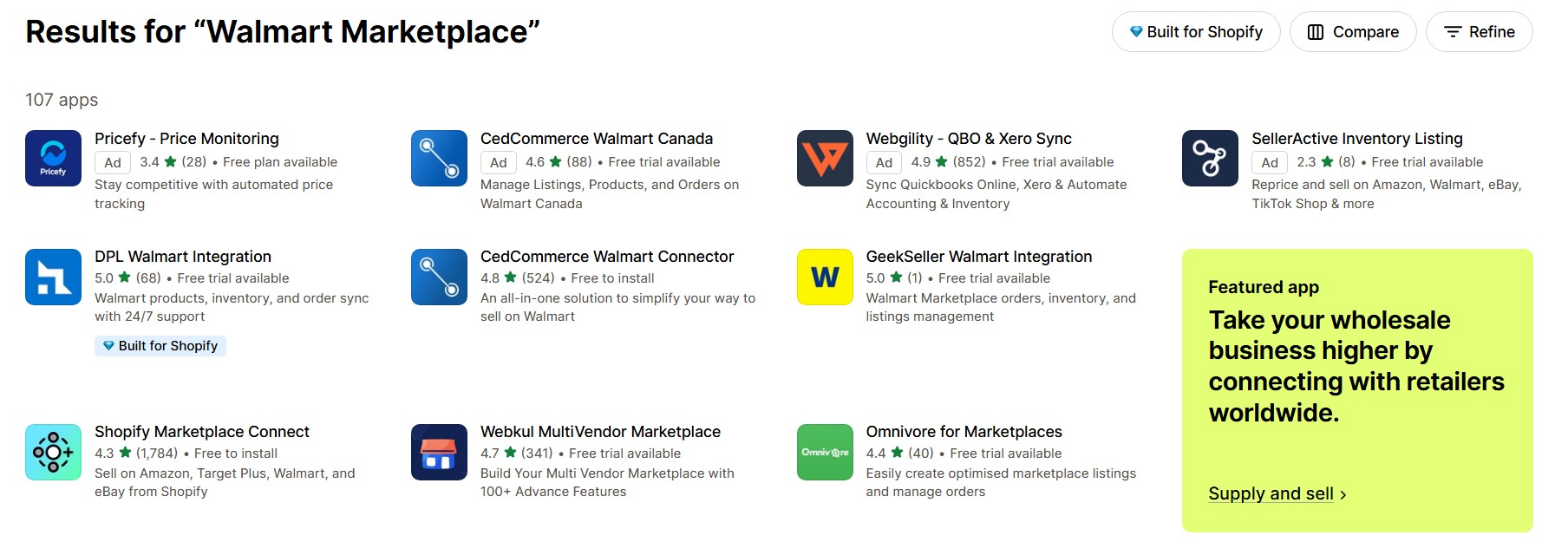
For Walmart Marketplace integration, your options will be more limited and more expensive. Shopify’s official app is Walmart Marketplace Connect, it’s free to install, but requires approved Walmart seller status. It’ll handle basic integration but sadly lacks advanced features like bulk editing and custom field mapping. CedCommerce’s Walmart Connector arguably leads the third-party options. Their app provides real-time synchronization, bulk operations, and critically, proper error handling for Walmart’s Byzantine validation rules. Ced support actually understands Walmart’s requirements, which’ll be worth the price when you’re troubleshooting a rejected feed.
Strategies for Optimizing Your Marketplace Feeds
The two platforms will both use the quality of your feed as a ranking signal, but just to keep you on your toes they’ll calculate what equals “quality” differently. Google considers completeness and the accuracy of a feed. Walmart will rank based on compliance and on performance metrics
With Google Shopping, optimization should start with product titles. Google’s algorithm heavily weights the first 70 characters of your product title. So be sure to include brand, key attributes, and product type in that space. Trust me, “Powell Peralta Cab Chinese Dragon Birch Complete Green Skateboard” will beat “Green Dragon Birch Complete Skateboard,” basically every time.
Now. As always, your product images will warrant special attention. Google Shopping requires images at least 100×100 pixels or 250×250 for apparel but recommends 800×800 minimum. No watermarks, no promotional text, no borders, no nothing. Just a product on a white background.
With Walmart, optimizing your product feed will be about meeting their exacting standards while maximizing discoverability. Their search algorithm heavily weights exact match product types and detailed attributes. Every optional field you populate increases your chances of appearing in filtered searches. Their Product Listing Quality Score will directly impact your visibility in their marketplace, and unlike Google, they won’t really provide any clear feedback re what’s wrong.
The pricing strategy implementation you’ll need to employ will also differ quite a bit between the two platforms. Google Shopping allows promotional pricing through sale_price attributes that can be scheduled. Whereas Walmart requires that you change prices through their Pricing API and tracks your competitiveness versus other marketplace sellers. In other words. If your prices are too high relative to your competitors your “Buy Box” appearance percentage will plummet.

Monitoring and Optimizing Your Performance
Once you’ve integrated your Shopify store with either marketplace, you’ll have to monitor your performance in platform-specific ways. Google, as you’d expect, provides extensive data through Merchant Center and Google Ads that allows you to track impressions, clicks, and conversions at the product level. Their Competitive Visibility Report will show you how you’re performing versus your competitors down to the category level and even identify areas where you can improve your product data and campaigns. It is an excellent optimization tool, so use it.
Walmart’s analytics are more opaque. Their Seller Center provides basic metrics like listing views, conversion rates, and Buy Box percentage. But they don’t show competitive data or explain why certain products underperform. You need to infer problems from performance changes and seller scorecard metrics.
Some Common Marketplace Integration Issues
Both platforms have problems retailers repeatedly encounter and I think it’s fair to say that understanding where other merchants have tripped will help you avoid or quickly resolve issues.
Google Shopping commonly rejects products for mismatched prices between your feed and website. Their crawler checks your landing pages and flags discrepancies. The solution requires ensuring your feed updates immediately when prices change, not on a daily schedule. Missing shipping information causes another common rejection. Google requires shipping costs for all products, either through account-level settings or feed attributes. Image rejections plague many merchants. Google’s image requirements seem simple but their automated validation is strict. Promotional overlays, borders, or multiple products in one image can all be causes for rejection.
The problems Shopify Merchants typically encounter on Walmart Marketplace can be a bit more complex. Like. Their category-specific attribute requirements often cause feeds to be rejected. A product might upload successfully one day then fail the next because Walmart updated category requirements. And the only way to avoid that is to monitor their specification updates and adjust your feeds accordingly. API throttling can hit retailers who don’t implement proper rate limiting. Walmart allows 1000 requests per 5 minutes for most endpoints. Exceed that and you’re locked out for hours. Proper integration will require request queuing, and exponential backoff for retries.
I should also warn you that order fulfillment failures can cascade quickly on Walmart. Miss the 4-hour order acknowledgment window and you can’t ship on time. Fall behind on tracking updates and your metrics tank. And basically the only way to deal with it is deploying robust automation that prevents fulfillment delays.
Deciding to Integrate or Not
If you’re doing over $500K and have proven products with decent margins, integrate with Google Shopping … IMMEDIATELY. The ROI is proven, the integration is straightforward, and the ongoing maintenance is minimal. So. It’s the closest thing to free money in e-commerce.
Walmart Marketplace requires more consideration. If you’re doing over $1 million annually, have excellent fulfillment capabilities, and are selling in Walmart-friendly verticals like say home goods or electronics, it’ll be worth pursuing. But understand you’re committing to their standards as ongoing requirements. I mean, one bad month of fulfillment metrics will undo years of growth.
If you’re a smaller Shopify retailer (i.e. doing under $500K annually), focus on perfecting your Shopify store first. These marketplace integrations amplify existing success, they don’t create it. Get your product data clean, your fulfillment reliable, and your margins healthy. Then expand to channels where those fundamentals translate to competitive advantages. Both integrations are achievable for any merchant willing to invest the time. The business reality is that only merchants with solid operations should attempt Walmart, while almost everyone should be on Google Shopping. The code doesn’t care about the maturity of your e-commerce brand, but the platforms do.
Well, that’s it for me today. I gotta go and refactor our webhook retry logic to use exponential backoff instead of fixed interval. Hope this follow up post helps you explore your options or even just wrestle with making multi-channel moves better. If you need more than a blog post worth of help navigating the complexities of third-party marketplace integration, please don’t hesitate to reach out, to get help finding an expert agency that specializes in this kind of thing. Remember. That is exactly the kind of advice that we built Bold Match to give. — Eric
Frequently Asked Questions (FAQ)
How long does it take to get approved for Google Shopping vs Walmart Marketplace?
Google Shopping operates with the efficiency of a TSA PreCheck line. So typically 3-5 business days, sometimes instantly if your Shopify store doesn’t raise any red flags. You need the basics: a return policy that exists, legitimate contact information, and secure checkout. It’s rather like getting a library card versus security clearance.
Walmart Marketplace? Picture applying to an exclusive private club where 85% of applicants get politely shown the door. Initial application review takes 2-4 weeks while they examine your business with the scrutiny of a suspicious customs agent. If you’re among the chosen few, add another 3-5 days for API credentials, then another week for product approvals. Budget 4-6 weeks total and cross your fingers. According to marketplace consultants who’ve seen this movie before, Google wants everyone at the party. Walmart’s checking the guest list twice.What are the real costs beyond Google and Walmart’s platform fees?
Google Shopping pulls the classic “free-to-play” gambit. The platform costs nothing, but without advertising, you’re essentially whispering in a hurricane. Budget minimum $1,000 monthly for ads if you want anyone to actually find you or more like $3,000-5,000 if you’re in competitive categories where everyone’s throwing money at keywords like it’s 1999. Feed management software runs $20-300 monthly once you realize the free Google & YouTube app has its limitations. All told, expect to dedicate 10-15% of revenue to feeding the Google machine.
Walmart’s more straightforward. They take their 6-20% commission depending on category, thank you very much. That Pro Seller badge at $39 monthly is “optional” the way wearing shoes to a job interview is optional. Decent integration apps cost $50-200 monthly. But here’s the hidden tax: time. Google needs maybe 5 hours monthly of maintenance, mostly watching Performance Max do mysterious things with your budget. Walmart demands 10-15 hours minimum to maintain their strict SLAs, so if you miss those metrics you’ll hear about it.Which products perform best on Google Shopping vs Walmart Marketplace?
Google Shopping has the discrimination standards of my friend Allison’s golden retriever Goldie. Everything and everything ‘s welcome if you present it well. Branded products, electronics, apparel, anything photogenic really. Products with GTINs (those official barcode numbers) perform 40% better than orphan products without them. You can charge premiums for unique items if you nail the presentation. Your artisanal cutting board made from reclaimed bowling alley wood? Google’s interested.
Walmart Marketplace wants what Walmart shoppers want, full stop. Everyday essentials, sensibly priced home goods, toys that survive Christmas morning, electronics that won’t spontaneously combust. They’re serving price-conscious shoppers who know exactly what a gallon of milk should cost. Luxury goods? Handmade artisanal anything? Save yourself the rejection letter. If Walmart stocks something similar in stores, you’re golden. If not, you’re probably targeting the wrong demographic.Can I use the same product feed for Google and Walmart?
Short answer … No. Long answer … Not unless you enjoy pain.
While both platforms use product feeds, expecting them to share is like assuming British and American English are interchangeable (i.e. only technically similar), practically different enough to cause problems. Google wants about 12 required fields and rewards you for 30+ optional ones. Walmart demands up to 100 attributes depending on category, each with validation rules that would make a tax attorney weep. Yes, apps like CedCommerce promise to translate between platforms, but you’ll still need platform-specific optimization. Those perfectly crafted Google product titles will be too verbose for Walmart’s taste. The category taxonomies align about as well as a British plug in an American socket. Plan on maintaining separate configurations even if they’re pulling from the same inventory data. It’s not duplication, it’s specialization.What happens if my marketplace integration fails or has errors?
Google treats errors like a particularly patient driving instructor, so individual products get flagged, you fix them, everyone moves on. Unless you’re actively trying to sell contraband or running some elaborate MLM scheme, your account survives your mistakes. Products typically get re-approved within 24 hours of fixing issues.
Walmart? Think zero-tolerance catholic school run by stereotypically mean nuns. Feed errors can torpedo entire uploads. One missed shipping deadline and your seller metrics plummet faster than crypto after a Lina Khan speech. Fall below their thresholds and you’ll receive warnings that read like disappointed parent letters, followed by restrictions, then potential suspension. Recovery from suspension takes weeks or months, assuming it’s possible at all. Like trying to un-ring a bell. This is why paranoid monitoring and immediate error response aren’t optional with Walmart; they’re survival tactics.Should I fulfill Walmart orders myself or use WFS (Walmart Fulfillment Services)?
WFS items get the Walmart+ badge, which you should think of as Twitter’s blue checkmark circa 2012. Your products become eligible for Buy Box placement even against cheaper competitors, like getting diplomatic immunity in the eternal price war. WFS handles returns and customer service, saving you from explaining why someone’s package looks like it went ten rounds with a woodchipper. The cost mirrors Amazon’s FBA at roughly 15-20% all-in, but you’re buying operational peace. Self-fulfillment means maintaining 95%+ on-time delivery while personally handling every customer complaint. It’s theoretically more profitable until you factor in the therapy bills. Most successful sellers use WFS for bestsellers and self-fulfill the slow-moving inventory that nobody’s rushing to receive anyway.
How do I optimize for Google’s Performance Max campaigns?
Performance Max is Google’s black box algorithm that promises automation while demanding perfection. Since it pulls directly from your Merchant Center feed, feed optimization becomes your new religion. Include every optional attribute, like think of them as ingredients in a recipe where Google won’t tell you what it’s cooking but gets angry if you leave anything out.
Deploy custom labels strategically. Tag high-margin items with custom_label_0=’high_margin’ so you can adjust bids without going broke. Use sale_price fields for promotions rather than changing the actual price. Google likes its historical data unmolested. Upload at least 3-5 high-quality images per product; lifestyle shots in natural habitats increase engagement more than another white-background product shot ever will.
Write detailed descriptions with naturally integrated keywords, the algorithm can detect keyword stuffing like a corgi can smell bacon grease. Monitor those Search Terms reports religiously and add negative keywords before you end up paying for traffic from people searching for “free [your product] hack.”What are common reasons for Walmart Marketplace application rejection?
Walmart rejects applications with the consistency of X Factor New Zealand’s Natalia Kills & Willy Moon. Less than a year in business? Rejected. Selling luxury items to their cost-conscious demographic? Rejected. Dropshipping from your spare bedroom? Don’t even bother. International seller without U.S. warehouses and return addresses? The odds aren’t in your favor. They’ve developed particular allergies to electronics and supplement sellers. Product categories that don’t align with what’s in Walmart stores get the axe. Incomplete applications get auto-rejected faster than you can say “administrative review.” Having established metrics on Amazon or eBay significantly improves your chances. It’s like having a reference from a previous landlord when apartment hunting. They want proof you won’t embarrass them, basically. Think of the application less as a formality and more as an audition where most people don’t get a callback.