
The Real Cost of Shopify POS (Point-of-Sale)
Written and edited by: Eric
How goes it everyone?
Eric Boisjoli here from Bold Match and today we’re talking about something that you’re totally talking about, if you’re considering expanding your retail operation; what Shopify POS will actually cost you. No. Not just the number on the pricing page, but the real, total investment you’ll be making when you bring an online store into the brick-n-mortar world. Now, I can tell you that understanding the true costs upfront makes the difference between a smooth launch and a scramble to find budget you didn’t know you’d need. So let’s walk through everything together, from the obvious monthly fees, to those sneaky costs that only show up after you’ve committed.
First, Let’s Talk What Shopify POS Actually Is
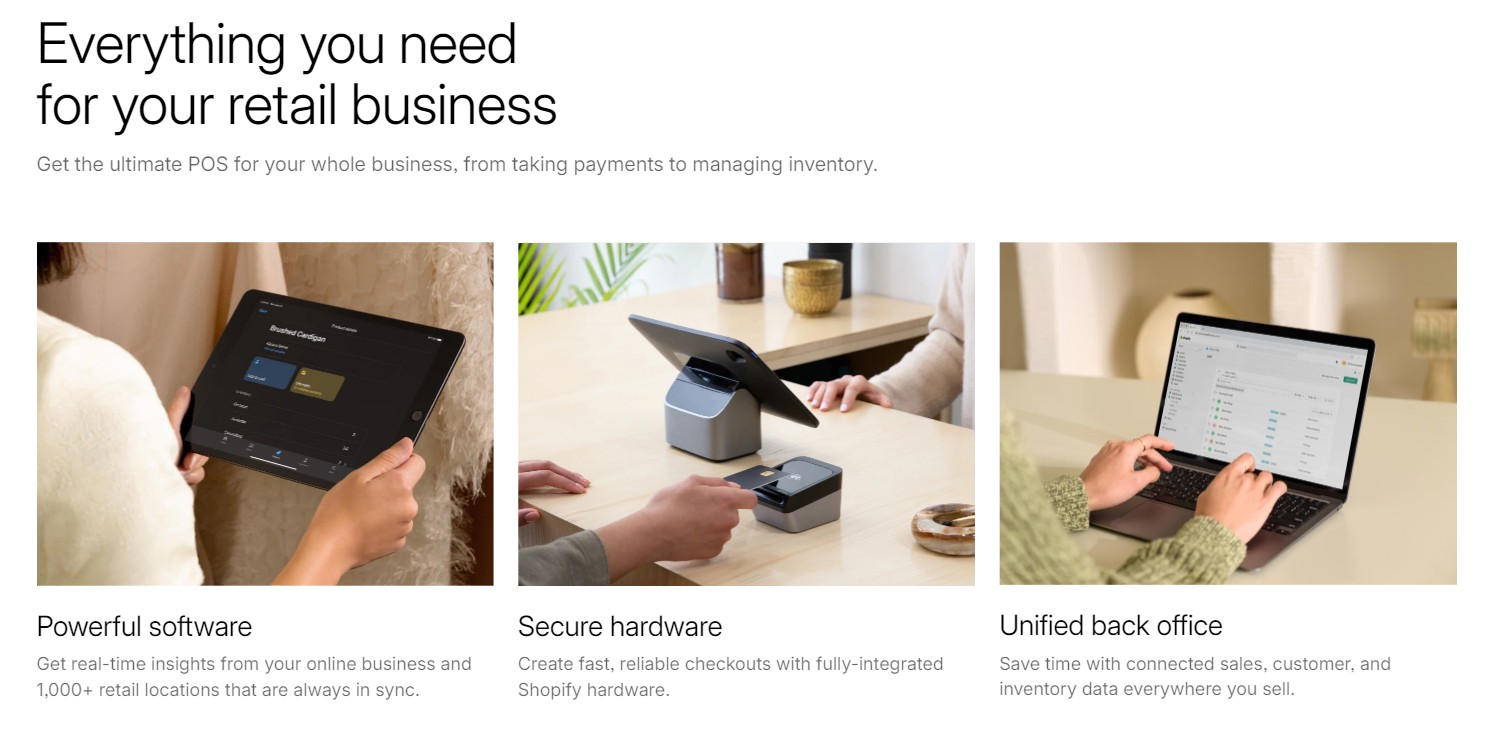
Before we get into the pricing weeds and oh, we’re going deep into those weeds, let’s talk about what we’re actually talking about here. Shopify POS (Point of Service) is essentially a React Native app that turns your iPad or iPhone into a point-of-sale terminal, connecting your physical retail operations to your online e-commerce store. Sounds simple, right? Just like how LinkedIn is simple until everyone becomes an AI expert overnight because Perplexity exists. (Seriously, did everyone just up and take the same Prompt Engineering Masterclass Thursday before last?)
The reality is that Shopify POS is a complex web of microservices, APIs, local databases, and synchronization protocols that somehow need to work together while your internet connection does its best dial-up impression and your seasonal sales person tries to process a return for an item purchased online using store credit while applying a discount code that expired yesterday.
Understanding Shopify’s POS Pricing Structure
First things first, Shopify Point of Service system comes in two flavors, and understanding which one you need will save you either money or headaches or both, depending on how you look at it
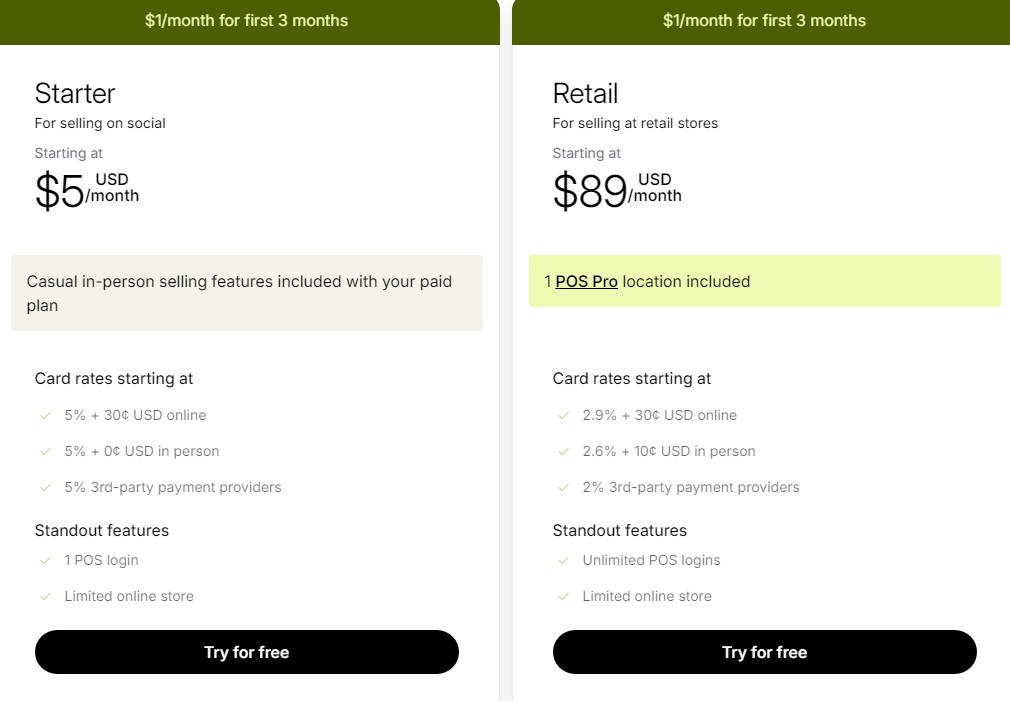
Shopify POS Lite comes free with every paid Shopify plan. And yes, free is a beautiful word everywhere, but it especially in the rough and tumble world of retail software. With Lite, you can process sales, accept payments, and manage basic customer information. POS Lite is perfectly functional for pop-ups, markets, and occasional in-person selling.
Shopify POS Pro runs $89 per month per location. That might sound steep compared to free, but that $89 gets you a lot. Unlimited staff accounts with individual PINs, advanced inventory features like purchase orders and stocktakes, exchanges and store credit capabilities, and the ability to sell products that aren’t even in your online catalog. For actual retail operations, which aren’t nice-to-have features, they’re the features that let you run a real store.
The decision between POS Lite and POS Pro almost always comes down to one question. Will you be selling in-person occasionally, or is physical retail a core component of your business? And if you’re doing more than a couple of pop ups a month Pro pays for itself in efficiency alone.
Building Your Setup Without Breaking Your Bank
So what will a full physical setup look like from a budgeting perspective? Well. Shopify’s recommended hardware is beautiful, it’s well-designed, and (shocker) it’s priced accordingly. Their complete countertop kit runs $459, and while it’s gorgeous, you might not need to go all-in immediately.
Let me break down what you actually need versus what’ll be nice to have:
Essential Hardware:
-
-
- iPad or iPhone (you probably already have one): $0-$500
- Shopify Tap & Chip Reader: $49
- Total minimum investment: $49 if you have a device
-
Recommended Starter Setup:
-
-
- Refurbished iPad (9th gen): $250
- Shopify Tap & Chip Reader: $49
- Star TSP143III receipt printer: $200
- Generic cash drawer: $60
- Total: $559
-
The Full Professional Setup:
-
-
- iPad Pro with stand: $700
- Shopify POS Go or Terminal: $349
- Receipt printer: $299
- Cash drawer: $139
- Barcode scanner: $229-$329
- Total: $1,716-$1,816
-
Now, here’s a secret that’ll save you a loonie or two. A lot of third-party hardware works just fine. That Star Micronics printer I mentioned earlier? Fully compatible and half the price of some alternatives. Generic cash drawers? They’re boxes that hold money; the $60 version works as well as the $139 one.
The Transaction Fee Math That Actually Matters
This is where you want to pay attention, because transaction fees are the gift that keeps on taking. If you’re using Shopify Payments (and you 100% should be), here’s what you’re looking at:
In-Person Rates with Shopify Payments:
-
- Basic Plan: 2.7% + $0
- Shopify Plan: 2.5% + $0
- Advanced Plan: 2.4% + $0
Compare that to online rates, and you’ll notice in-person actually costs less, which is refreshing in a world where everything usually costs more in real life. If you’re not using Shopify Payments, you’ll pay an additional transaction fee of 0.5% to 2% depending on your plan, plus whatever your payment processor charges. On $10,000 in monthly sales, that is like an extra $50-$200.
For Canadian merchants, Shopify Payments works great and the rates are competitive. For my American friends, the integration is actually even smoother. But if you’re in a country where Shopify Payments isn’t available, just factor in those extra fees when calculating your margins.
The Hidden Costs Nobody Mentions
Here’s my handy and also dandy mini guide to the costs that “always” seem surprise people:
Staff Training Time: Budget at least 20 hours of paid training time for your team. At $15/hour, that’s $300 per person. Yes, Shopify POS is intuitive, but “intuitive” doesn’t mean “no training required.”
Integration Apps: Need advanced inventory management? That’s $50-$200/month for apps like Stocky (though it’s free with POS Pro). Want loyalty programs? Another $20-$100/month. Email marketing integration? Add Klaviyo at $20-$100/month. These add up fast.
Backup Internet: When your internet goes dark (and down is a when not an if), you’ll want and need a backup and a cellular hotspot will run around about $50/month but will save you from turning customers away when your primary Internet connectionI fails.
Receipt Paper and Other Checkout Supplies: Plan to spend at least $30-$50/month for receipt paper, shopping bags, and other consumables. It’s not huge, but it’s ongoing.
Mistakes and Learning Curve: During your first month, you’ll inevitably muck up at least a few transactions, offer the wrong discount here and there, or have an inventory mishap or six. Budget 2-3% of your first month’s revenue for these learning experiences.
Comparing Shopify POS to the Alternatives
Let’s put this in perspective by comparing to other popular POS systems:
Square for Retail:
-
-
- Software: $60/month per location
- Processing: 2.6% + $0.10 in-person
- Hardware: $300-$1,000
- Hidden cost: Less seamless e-commerce integration
-
Lightspeed Retail:
-
-
- Software: $89-$289/month
- Processing: 2.6% + $0.10 with Lightspeed Payments
- Hardware: $300-$1,500
- Hidden cost: Steep learning curve
-
Clover:
-
-
- Software: $14-$114/month depending on plan
- Processing: Varies by processor (typically 2.3-2.7% + $0.10)
- Hardware: $500-$1,500
- Hidden cost: Long-term contracts with some processors
-
When you factor in that Shopify POS integrates perfectly with your existing Shopify store, shares inventory seamlessly, and uses the same dashboard you already know, the value proposition Shopify’s selling you isn’t exactly what even a cynical sort would call unclear..
Making the Numbers Work for Your Business
Here’s how to calculate if Shopify POS makes sense for you:
Calculate Your Break-Even:
-
- Add up monthly costs (POS Pro + apps + internet backup): ~$150-$300
- Divide by your average profit margin (let’s say 40%)
- Result: You need $375-$750 in additional monthly sales to break even
Consider the Intangibles:
-
- Unified inventory means fewer oversells and stockouts
- Single dashboard reduces training and errors
- Customer data flows between channels automatically
- Buy online, pickup in-store becomes possible
The Shopify Plus Exception: If you’re on Shopify Plus, you get 20 POS Pro locations included. At $89 each, that’s $1,780/month in value. For multi-location retailers, this often makes Plus worthwhile on its own.
Your Month-by-Month First Year Budget
Let me break down what you should expect to spend in your first year:
Month 1 (Setup):
-
-
- Hardware: $500-$1,500
- POS Pro: $89
- Training time: $300-$600
- Supplies: $100
- Total: $989-$2,289
-
Months 2-3 (Learning):
-
-
- POS Pro: $89/month
- Apps: $50-$150/month
- Supplies: $50/month
- Error buffer: $100/month
- Total: $289-$389/month
-
Months 4-12 (Optimized):
-
-
- POS Pro: $89/month
- Apps: $50-$150/month
- Supplies: $30/month
- Internet backup: $50/month
- Total: $219-$319/month
-
First Year Total: $4,500-$7,500
That might seem like a lot, but if retail adds even 20% to your revenue, it pays for itself quickly.

Good Enough Is Actually … Good Enough?
So the thing that may surprise you after all that, is that Shopify POS doesn’t need to be perfect. It just needs to be better than the alternatives. Shopify POS isn’t the cheapest option out there, but for Shopify merchants, it’s often the smartest investment. The real cost isn’t just the monthly fee. It’s all of the hardware, training, apps, and the ongoing supplies. But it’s also the cost of not having unified inventory, of managing separate systems, and training staff on multiple platforms.
My advice? Start with Lite if you’re testing the waters with pop-up stores or markets. And use that time to understand what features you actually need. When you’re ready for a permanent IRL presence, upgrade to Pro and invest in decent (not necessarily Shopify-branded) hardware.
But remember, these costs are investments in growth. Every successful omni-channel merchant started by taking one small step away from their first retail outlet. The key is understanding the real costs so you can plan accordingly and avoid surprises. If you’re finding that you need help evaluating whether POS makes sense for your specific situation, or you want assistance with the technical implementation that’s what we built Bold Match to help Shopify merchants navigate. Now if you’ll kindly excuse me, I need to go and implement distributed tracing with OpenTelemetry to hunt down a latency bottleneck between our inventory service and the main API. — Eric B.