
Shopify Plus Features That You’re Probably Not Using
Written and edited by: Eric

Hey everyone, Eric Boisjoli here. Hope 2026 is treating you well so far. ☕
So look. I’ve had a couple of conversations recently with a couple of merchants who upgraded to Shopify Plus somewhere between six months and two years ago. And there was a pattern I kept noticing. They initially made the jump for one or two specific reasons, whether that was checkout customization or B2B functionality or just the transaction fee math finally making sense. Fair enough. But then they basically stopped exploring it. Which means they’re paying Plus prices while using maybe 30% of what Plus actually offers.
I get it. You’re busy running a store. You solved the problem that triggered the upgrade and moved on to the next fire. The thing is, there’s a bunch of functionality sitting right there in your admin that could genuinely transform how you operate. Features that save hours every week, unlock revenue you’re currently leaving on the table, and give you competitive advantages that most of your competitors don’t even know exist. Let me walk you through what I think most Plus retailers are probably underutilizing. I’ll try to keep the tech-speak accessible.

Shopify Flow is Criminally Underused
Shopify Flow is the automation engine that comes with Plus. And I’d estimate that maybe 15% of Plus merchants are using it to anything close to its potential. Here’s what Flow can do. You set up triggers (events that start a workflow), conditions (rules that determine if an action should happen), and actions (what actually gets done). No code required for most use cases.
e-Commerce Automations you should probably have running right now. Tag customers automatically when they hit spending thresholds. Route high-value orders to your best fulfillment team. Flag suspicious orders based on billing and shipping mismatches. Send internal Slack notifications when inventory drops below safety stock. Auto-publish products when they hit a certain inventory level. Pause ad spend on out-of-stock items. The list goes on.
The Winter ’26 Edition made this even easier. Sidekick can now build Flow automations from plain language descriptions. You literally tell it “tag customers as VIP when they place an order over $200” and it creates the workflow. I’ve played with this a bit, and it works better than I expected for straightforward automations. The more complex your logic gets, the more you’ll want to review what it generates. But for basic workflows? This saves real time.
If you’ve touched Flow once and gave up. Give it another try. The interface has improved significantly, and the new test run feature lets you preview exactly what a workflow will do before activating it. You select sample data, run the preview, and watch the execution path light up step by step. When it reaches an action that would change something, it stops and shows you what would have happened without actually doing it. This is huge for debugging complex workflows without risking real orders.

Launchpad for Campaign Automation
Launchpad is the feature Plus store owners tend to forget exists entirely. Which is wild because it solves a problem almost every growing brand has. Think about how you handle a product launch or flash sale right now. You’re probably setting alarms, staying up late, manually changing prices, updating product visibility, swapping themes, and hoping you don’t mess something up at 2 AM because your sale was supposed to go live in Australia first.
Launchpad automates all of that. You schedule everything in advance. Price changes, product visibility, theme swaps, inventory adjustments. It all happens automatically at the exact time you specify. When the event ends, everything reverts back.
Where this becomes particularly powerful. Coordinating launches across time zones. Running limited-time offers without manual intervention. A/B testing different promotional approaches. Seasonal theme changes. Black Friday campaigns that span multiple days with different offers. The combination of Launchpad and Flow working together is where things get really interesting. You can have Launchpad trigger the event, and Flow handles all the downstream automations. Customer notifications. Inventory reallocation. Staff alerts. Post-purchase sequences.
B2B Features Beyond the Basics
If you’re running wholesale alongside D2C, Shopify Plus includes native B2B functionality that goes well beyond what most retailers are actually using. The obvious stuff you probably know about. Company accounts, custom price lists, payment terms, volume-based pricing. Fine. But there’s more.
What a lot of merchants miss. You can create completely separate catalogs for different customer segments. Not just different prices on the same products, but entirely different product visibility. Your wholesale customers see one catalog. Your retail customers see another. And you manage both from a single admin. Quantity rules let you enforce minimum order quantities, maximum quantities, and quantity increments per product or variant. So if you only want to sell certain SKUs in cases of 12, you can enforce that without apps or workarounds. Custom shipping and payment methods per B2B customer location. ACH bank payments at checkout (US only for now, but expanding). Purchase orders with proper approval workflows.
The Winter ’26 update added. Store credit for B2B company locations. Pickup in store for wholesale customers. Expanded ERP integrations with NetSuite, BrightPearl, Fulfil, Sage, and Acumatica. If your wholesale operation has been feeling duct-taped together, the native tools might finally be robust enough to simplify things.

Checkout Extensibility and Shopify Functions
This is where upgrading to Plus really pays dividends, but it’s also where a lot of store owners need agency help to unlock the full potential. Checkout Extensibility replaced the older checkout.liquid system and Shopify Scripts. It gives you a more flexible, upgrade-safe way to customize checkout experiences without compromising security or Shop Pay compatibility.
What you can actually do. Add custom fields for gift messages or special instructions. Show conditional content based on cart value or customer tags. Implement post-purchase upsells that appear after payment but before confirmation. Create multi-step checkout flows for complex products. Display dynamic messaging about shipping times or promotions.
The new Shopify Functions let you build custom discount logic, payment customizations, and delivery options that go way beyond what the standard tools allow. Want to offer free shipping only for orders containing specific product combinations? Or hide certain payment methods for international customers? Or create tiered discounts that get more aggressive as cart value increases? Functions make all of that possible.
Important note. Shopify Scripts were deprecated in August 2025 and the deadline for migrating to Functions is June 30, 2026. If you’re still running legacy Scripts for checkout logic, start planning your migration now. Don’t wait until the last minute.
Expansion Stores for International Growth
Plus includes nine additional storefronts at no extra cost. Nine. And most Plus merchants are using maybe one or two. Each expansion store can have its own domain, design, products, pricing, and currency while you manage everything from a centralized admin. This isn’t just about translating your existing store into French. You can create genuinely localized experiences for different markets.
Practical applications beyond the obvious. Separate stores for different brands under the same parent company. Outlet or clearance stores with different pricing structures. Regional stores with market-specific product assortments. B2B and B2C operating as distinct experiences but sharing backend infrastructure. The Organization Admin panel lets you manage user permissions, analytics, and reporting across all your stores from one place. Cross-store analytics give you a unified view of overall business performance without manually consolidating spreadsheets.
The recent Markets improvements. Checkout and customer account pages can now be customized per market directly in the editor. Cross-border payment options expanded significantly in Europe. French retailers can now accept Bancontact, iDEAL, Twint, and several other regional payment methods. Klarna support expanded to a bunch of additional countries.
If you’ve been putting off international expansion because the complexity seemed overwhelming, the tools have matured considerably.

Shopify Audiences for Customer Acquisition
This one flies under the radar, but Shopify Audiences is a customer acquisition tool that uses machine learning and aggregated data from the Shopify ecosystem to create highly targeted audiences for your advertising campaigns. Basically, Shopify looks at purchase behavior patterns across its network of 4+ million stores and helps you find shoppers who are statistically likely to buy from stores like yours. These audiences can be exported to advertising platforms like Meta and Google.
Why this matters. Third-party cookies are dying. iOS privacy changes have made traditional retargeting less effective. First-party data is becoming the most valuable asset in digital marketing. Shopify Audiences gives you access to behavioral signals you couldn’t get otherwise.
The catch. You need to be using Shopify Payments and meet certain eligibility requirements. But if you qualify, this is essentially free access to audience intelligence that would cost significant money to replicate through other tools.
Higher API Limits and What That Actually Means
This sounds technical because it is technical. But the practical implications matter even if you never look at an API. Shopify Plus provides significantly higher API call limits than standard plans. Why does that matter? Because every integration you run, every app you install, every custom tool that connects to your store communicates through APIs. When you hit API limits, things break. Inventory doesn’t sync properly. Orders get delayed. Third-party tools fail silently.
Signs you might be hitting API constraints. Inventory discrepancies between your store and fulfillment systems. Delays in order data appearing in your analytics tools. Apps throwing errors during high-traffic periods. Custom integrations timing out during flash sales.Plus gives you the headroom to run more complex operations without hitting these walls. If your tech stack has been feeling fragile during peak periods, insufficient API limits might be a contributing factor.
Store Analytics Improvements You May Have Missed
The recent updates to Shopify’s analytics are genuinely useful, but they’re easy to overlook if you’re not actively exploring the admin.
Heatmaps for visualizing data. You can now see sales patterns across two variables like hour of day and day of week. This makes it much easier to spot trends that would be invisible in standard charts.
Minute-level precision. During flash sales or time-sensitive promotions, you can now track performance at the minute level instead of just hourly. Real-time visual indicators show you what’s happening right now.
Bot filtering. Improved filtering removes bot traffic from your conversion data, so you’re making decisions based on actual human behavior.
Inventory history without caps. Previously there was a 180-day limitation on inventory history. That’s gone.
These might seem like small improvements individually, but together they give you a clearer picture of what’s happening in your store.
Getting the Most from Your Shopify+ Investment
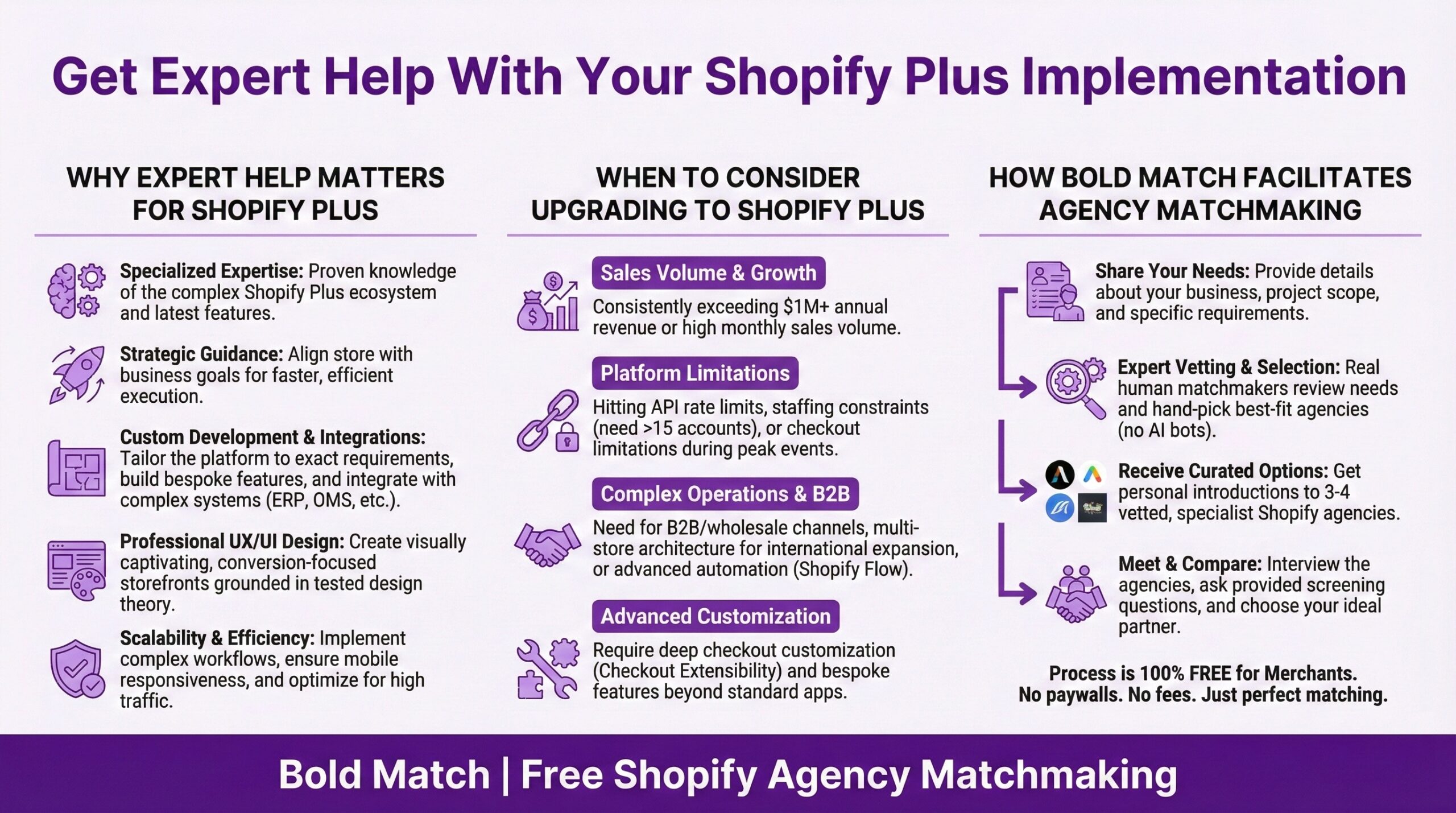
Some of the features above you can absolutely implement yourself. Features like … Flow automations, Launchpad campaigns, basic B2B setup. The learning curve isn’t that steep, especially with Sidekick helping out now. But for the deeper stuff, particularly Checkout Extensibility, Shopify Functions, complex international expansion, and sophisticated integrations, working with an experienced Partner Agency can save you a lot of trial and error. The ROI math works out when you factor in your time and the cost of getting things wrong.
That’s exactly what Bold Match does. We connect Shopify merchants with vetted partner agencies who specialize in exactly the kind of work you need. Free, no commissions, no pressure. If you’re sitting on Plus features you haven’t fully explored, we can help you find the right partner to unlock that value. Right. I should probably go check on some webhook configurations and maybe dream dreams of the day the snow finally starts melting here in Winnipeg (and the concrete isn’t still too wet), and I can finally hit The Forks Skatepark again.
Now go make your tech stack work smarter, not harder! — Eric B
Frequently Asked Questions (FAQ)
What are the most underutilized Shopify Plus features?That’s so hard to say the whole post above is about several potential answers but the most commonly underutilized Plus features include Shopify Flow for automation, Launchpad for campaign scheduling, native B2B functionality beyond basic price lists, Checkout Extensibility for custom checkout experiences, expansion stores for international markets, and Shopify Audiences for customer acquisition. Most Plus merchants use perhaps 30% of available functionality, usually focusing only on the feature that triggered their upgrade.
How do I set up Shopify Flow automations without coding experience?
Shopify Flow uses a visual builder that requires no coding for most use cases. You create workflows by selecting triggers (events that start the automation), conditions (rules that determine if actions should run), and actions (what actually happens). The Winter ’26 Edition added Sidekick integration, which lets you describe automations in plain language. The new test run feature also lets you preview workflows before activating them, reducing the risk of errors.
Can a Shopify Plus Agency help me implement advanced features?
Yes. While many Plus features are accessible to merchants directly, more complex implementations like Checkout Extensibility, Shopify Functions, international expansion with multiple storefronts, and sophisticated ERP integrations usually benefit from agency expertise. A qualified Shopify Plus Partner agency can implement these features faster and avoid common pitfalls that cost time and money.
What’s the difference between Shopify Scripts and Shopify Functions?
Well. Shopify Scripts was the older system for checkout customizations that ran Ruby code. Shopify Functions is the replacement that uses WebAssembly and provides better performance, security, and compatibility with Shop Pay. Scripts were deprecated in August 2025 with a migration deadline of June 30, 2026. If you’re still running legacy Scripts, you should plan your migration to Functions now.
How many expansion stores are included with Shopify Plus?
Shopify Plus includes nine expansion stores at no additional cost, for a total of ten storefronts (one primary plus nine expansion). Each store can have its own domain, design, products, pricing, and currency while sharing centralized management through Organization Admin. Retailers can use these for international markets, separate brands, B2B operations, outlet stores, or other specialized purposes.
Is Shopify Plus worth it if I’m only using basic features?
That depends on why you upgraded and what you’re paying on transaction fees. If the math works on fees alone, staying on Shopify Plus makes sense even if you’re not using advanced features. However, you’re likely leaving significant value on the table. Features like Flow automation, Launchpad, and native B2B tools can save hours of manual work weekly. Consider working with a Shopify Partner agency to audit your current setup and identify which unused features could deliver meaningful ROI.
What Shopify+ features require an Expert Developer or Partner Agency to implement?
The best way to answer that is to just say any features that usually require technical expertise include Checkout Extensibility for custom checkout experiences, Shopify Functions for advanced discount and payment logic, headless commerce implementations, complex ERP and EDI integrations, custom app development, and sophisticated multi-store configurations. Flow automations, Launchpad campaigns, basic B2B setup, and standard expansion stores can usually be handled by merchants directly.
How does Shopify Audiences help with customer acquisition?
Shopify Audiences uses machine learning and aggregated purchase behavior data from across the Shopify ecosystem to identify shoppers likely to buy from stores similar to yours. These audiences can be exported to advertising platforms like Meta and Google for more targeted campaigns. This is increasingly valuable as third-party cookies phase out and iOS privacy changes limit traditional retargeting effectiveness. Eligibility requires using Shopify Payments and meeting certain volume thresholds.