
The SEO Survival Guide for Replatforming e-Commerce Merchants & Online Retailers
Written and edited by: Dirk

Designers and developers (talented expert specialists though they may be) never seem to mention it in their glossy “you should totally replatform, it’ll be awesome” pitch decks, but moving your online store to a new e-commerce platform isn’t at all like moving house. It’s more like moving to a new house in a new country that you’ve definitely heard or read a lot about but have never actually visited. Like it’ll basically have all of the same stuff, or some equivalent of that same stuff, but the options might be narrower or so much wider it isn’t the same. And you may think you speak the language spoken there, but you don’t really know you can because you have never really had to.
You’ll forget something important, discover problems you didn’t know existed, and spend the first few weeks wondering why you thought this was a good idea. The SEO equivalent of finding out that buying bread and cheese in Miami does not equal buying bread and cheese Marseille. Your organic search traffic falling down dead as Dillenger, because someone didn’t fully map out all of your current redirects.
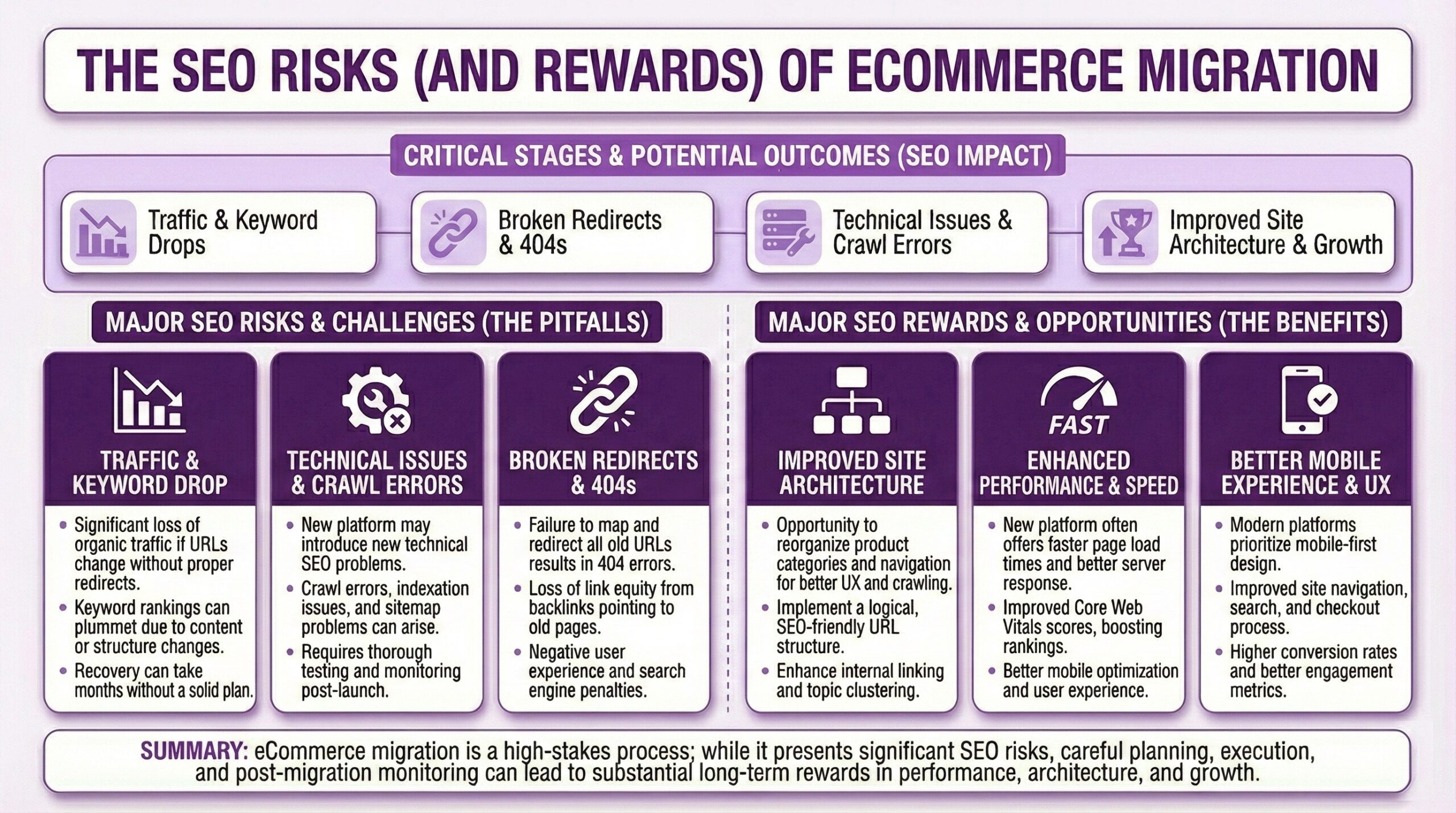
Research from Moz suggests that improperly executed migrations can result in 15 to 30 percent permanent organic traffic loss. That didn’t say temporary. That said permanent. I have seen case studies where Store Owners lost 40 percent of their traffic for six months because migrating killed their crawl budget by breaking internal links. Six months recovering from a preventable mistake. But it does not have to.
With proper planning and execution, your migration from SquareSpace or BigCommerce or wherever you are now to Shopify won’t just preserve your standing in Google’s SERPS. It might actually improve it. The platforms you’re leaving behind usually have endemic SEO limitations a well-executed migration can finally resolve. And today I am gonna try my best to walk you through how that can happen.
Why Replatforming Threatens Your Search Rankings
Before diving into the platform-specific SEO concerns around replatforming, I think it’ll help to understand why search engines get confused during migrations in the first place. It’s like this. Google’s crawlers have spent months or years learning the architecture of your current site. They know where your products live, how your categories connect, which pages matter most, and how everything links together. When you suddenly change all of that, you are essentially asking Google to forget everything it learned and start over.
The basic problem is that URLs are identities. Every page on your site has accumulated what SEO professionals call “link equity” over time. Backlinks from other sites, internal linking patterns, user engagement signals, and indexing history all attach to specific URLs. When those URLs change and the search engines aren’t properly informed, that accumulated value does not transfer. It DIES.
This matters more than most online retailers realize. This 2025 study from Fleexy found that a one-second delay in page load can cut conversions by 7%. But traffic loss is worse than slow loading. If your Organic Traffic drops by 30% because of botched redirects or broken internal links that made it too hard for Google to index and rank your store site, you’re not just losing potential customers. You’re losing the customers who were actively searching for exactly what you sell. Those are the highest-intent buyers in your funnel.
Platform-Specific SEO Baggage You’re Leaving Behind
Every e-commerce platform has its quirks, and many of those quirks create search engine optimization problems that compound over time. Understanding what you’re escaping helps you appreciate both the opportunity, and all the risks of migrating to a new platform.
WooCommerce
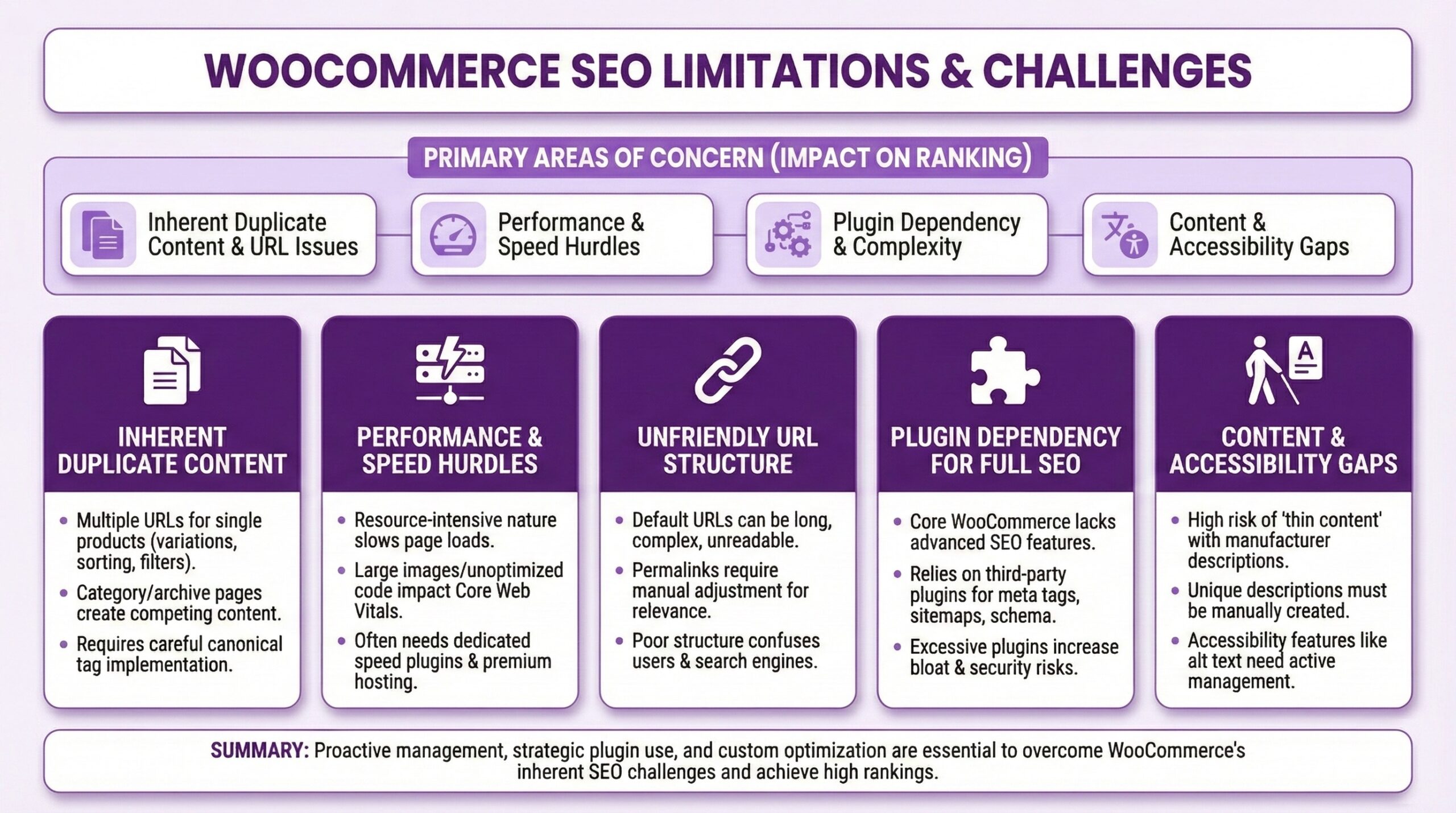
WooCommerce runs on WordPress, which theoretically gives you complete control over everything but “theoretically” was doing a lot of heavy lifting back there.In practice, that “control” often translates to “responsibility for maintaining a fragile ecosystem of plugins that may or may not play nicely together.”
Site speed degradation. WooCommerce stores notoriously slow down as they scale. Every plugin adds database queries. Every theme customization adds rendering time. By the time you’re doing serious volume, your site speed has usually become a genuine SEO liability. Core Web Vitals scores suffer, and Google notices.
Plugin dependency chaos. The SEO plugin you installed three years ago might conflict with the caching plugin you added last year. The redirect manager might not catch all the URL patterns your permalink structure generates. You end up with a patchwork of solutions that nobody fully understands.
Security vulnerability exposure. WordPress sites require constant vigilance against exploits. A hacked site gets deindexed fast, and recovering from a Google security warning is a months-long project. The 2024 drama around WP Engine reminded everyone just how politically and technically fragile the ecosystem can be.
URL structure inconsistency. WooCommerce doesn’t enforce consistent URL patterns by default. Different permalink settings, category base slugs, and product URL configurations can create duplicate content issues and crawl inefficiencies that accumulate over time.
BigCommerce
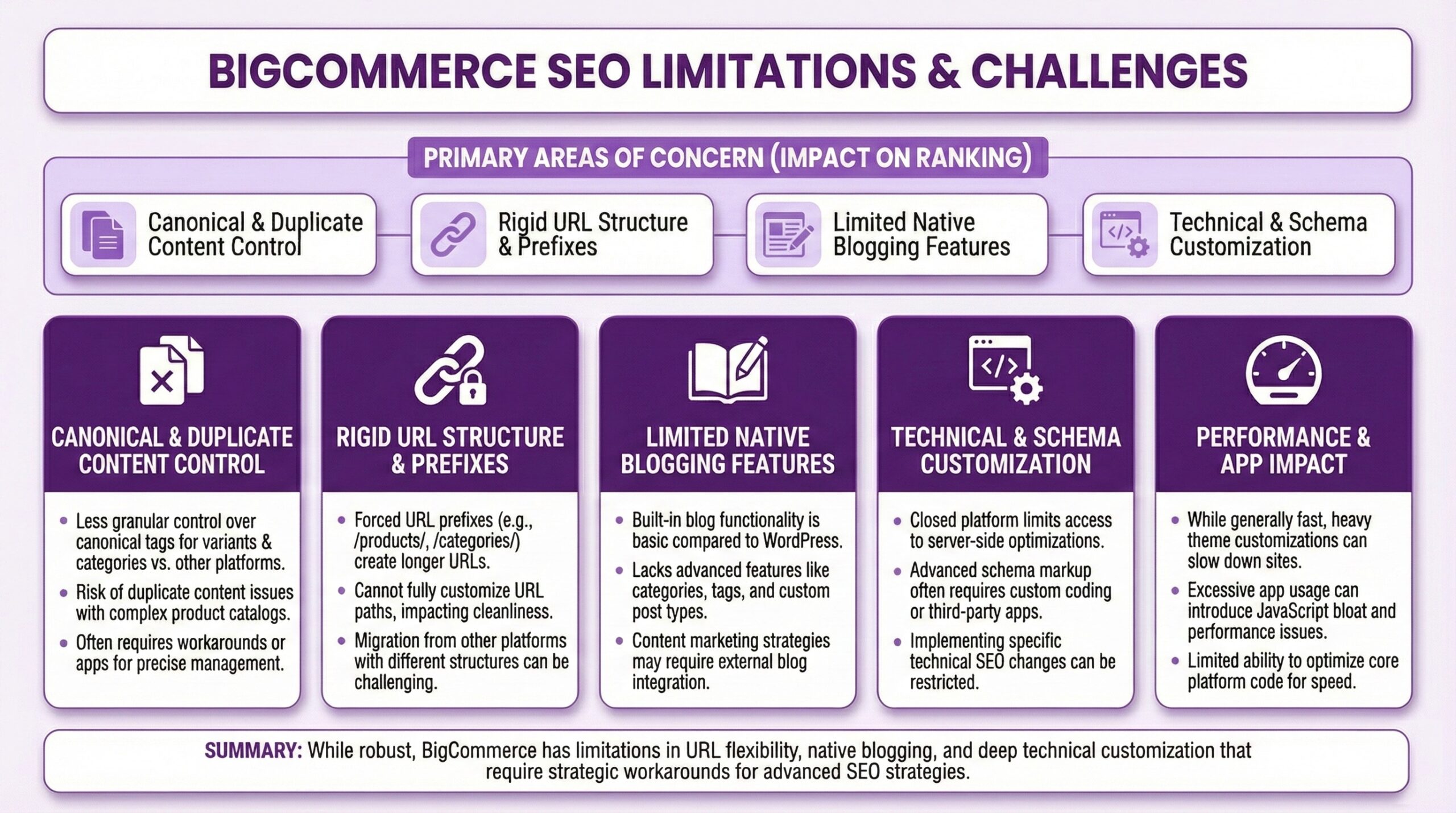
BigCommerce positions itself as the enterprise alternative to Shopify, and it does have legitimate strengths. But its many Search Optimization limitations have frustrated merchants and SEO professionals (including the one currently typing this blog post) for years.
Blog subdomain architecture. By default, BigCommerce hosts blogs on a subdomain like blog.yourstore.com. Google treats subdomains as separate entities, which means your blog content doesn’t directly contribute to your main domain’s authority. This is a fundamental structural problem that requires workarounds to solve.
Canonical URL inflexibility. Setting canonical URLs for products and categories, which is standard functionality on most platforms, requires editing theme files directly in BigCommerce. This creates ongoing maintenance headaches and makes managing duplicate content more complicated than it should be.
Limited staging environment support. BigCommerce doesn’t offer easy development site creation. Testing changes before pushing them live becomes complicated, which means SEO modifications carry more risk than they should.
Theme-level site speed constraints. Even with dedicated developer support, BigCommerce’s template architecture makes meaningful speed improvements difficult and time-consuming to implement.
Magento (Adobe Commerce)
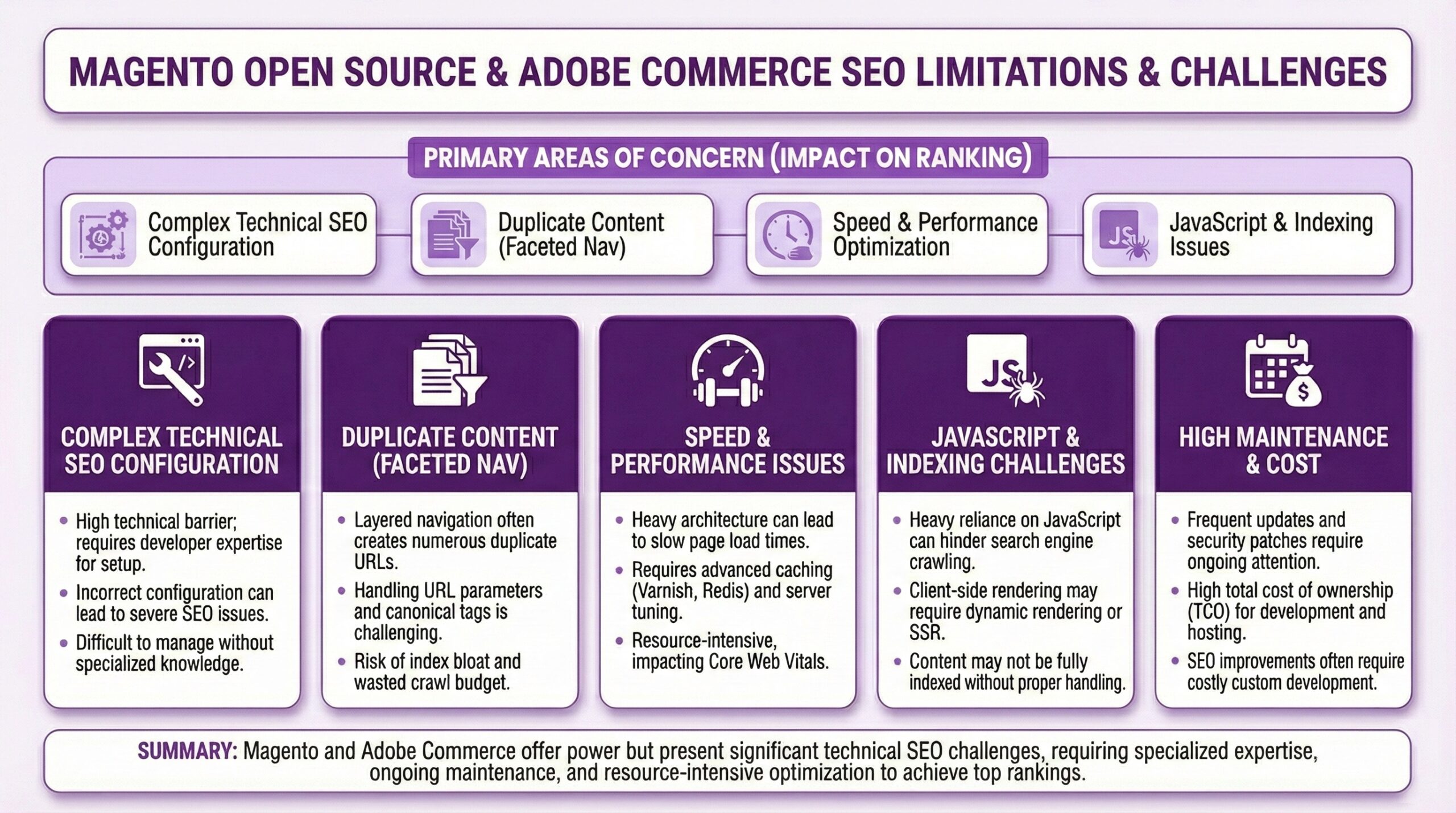
Both Magento Open Source and Adobe Commerce offer retailers a lot of power and a lot of flexibility. They’re also tremendously complex and expensive to maintain properly. The SEO challenges are less about each platform limitations and more about their operational overhead.
Total cost of ownership. Keeping Magento performant requires ongoing developer investment. Security patches, performance optimization, and infrastructure management consume resources that could otherwise go toward growth. When that investment lapses, SEO suffers through slow page loads and crawl issues.
Manual configuration requirements. Nothing in Magento is automatic. Meta titles, structured data, canonical tags, and schema markup all require deliberate configuration. If your implementation team didn’t prioritize SEO during initial setup, you’re probably carrying technical debt that affects rankings.
Complexity-driven errors. The more complex a system, the more opportunities for things to go wrong. Redirect chains, indexation issues, and crawl inefficiencies tend to accumulate in Magento installations over time.
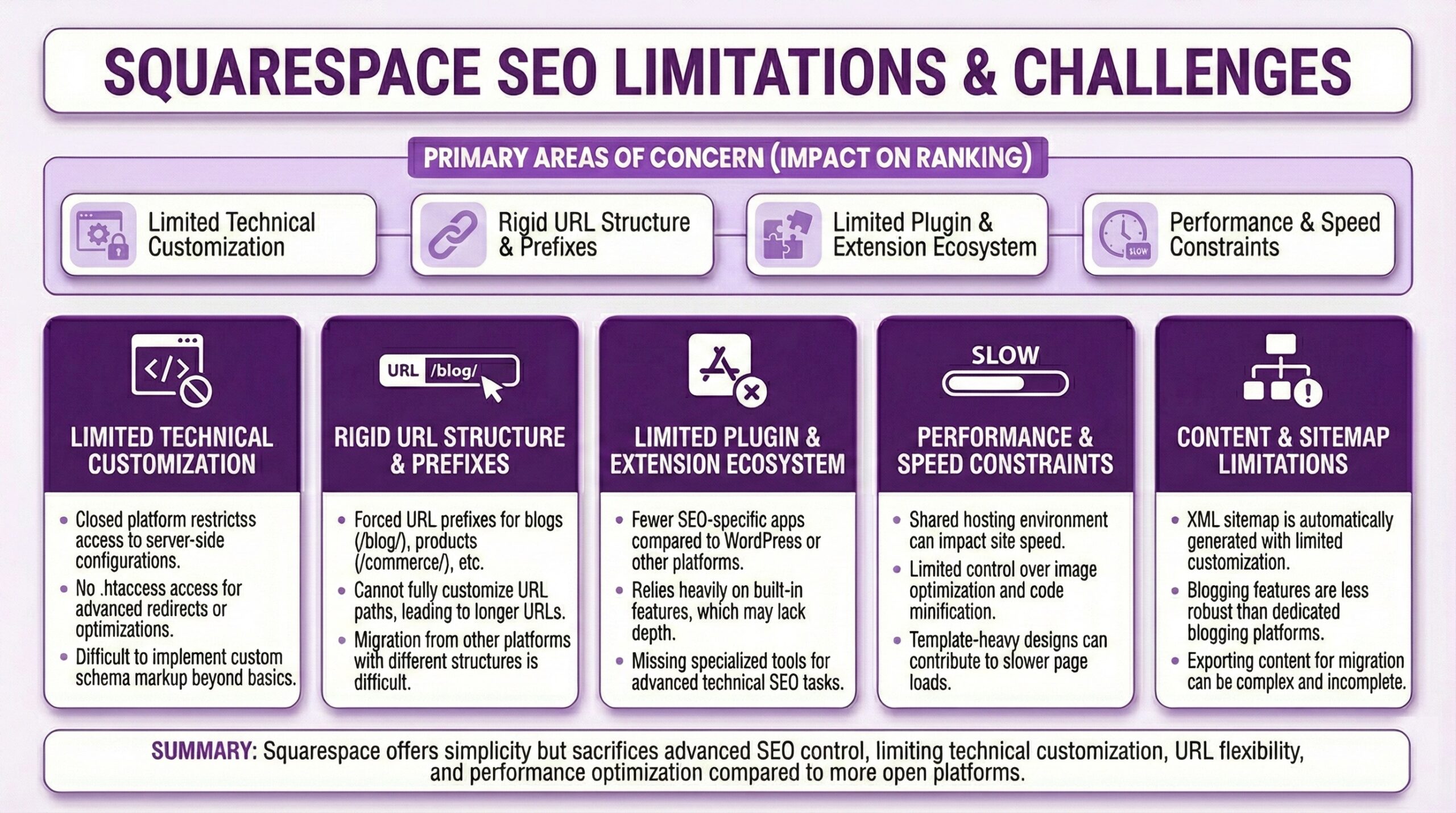
Squarespace
Squarespace appeals to design-focused retailers who want beautiful templates without technical complexity. The trade-off is limited control.
No robots.txt access. You can’t customize how search engines crawl your site. This limits your ability to manage crawl budget and prevent indexation of low-value pages.
Limited canonical tag control. Managing duplicate content across product variants and filtered views becomes difficult without proper canonical implementation.
Restricted URL structure options. Squarespace imposes URL patterns that may not align with SEO best practices or your existing URL structure.
Minimal schema markup support. Structured data options are limited, which affects your eligibility for rich snippets in search results.
Your e-Commerce Platform Migration SEO Checklist
Here’s the sequential process designed to prevent traffic disasters. Timing will matter, so I’m walking through this in the order you should actually execute it. Also. And I won’t put this on the actual list, but now would be a good time to contact any seo person who’s worked on your website and ask them what “little things” they did to it that they didn’t tell you about because it was easier to do then take credit for the results than to explain. Trust me. That’s something I’ve done, it’s something we all do, and even another expert can miss those workarounds and optimization “tricks” if they don’t know to look for them while going through the process below. Now.
Before You Touch Anything
Crawl your existing site completely. Use Screaming Frog (and here’s where I should say “or a similar site crawler” but seriously, just use Screaming Frog, most SEOs do) to catalog every URL, meta title, meta description, heading structure, and internal link on your current store site. This will become your migration map. You cannot redirect what you don’t know exists.
Export your Google Search Console data. Download your performance reports, index coverage information, and any manual actions or security issues. You’ll need this baseline to measure migration success.
Document your current analytics benchmarks. Record your organic traffic levels, conversion rates, bounce rates, and site speed metrics. Screenshot your Core Web Vitals scores. These become your recovery targets.
Audit your backlink profile. Know which external sites link to which pages. High-value backlinks pointing to pages that don’t get properly redirected represent permanent equity loss.
Create your redirect map. Match every old URL to its new URL equivalent. This is the most important document in your entire migration. Every single old URL needs a destination. No exceptions.
During Migration
Implement 301 redirects for every mapped URL. Use permanent redirects exclusively. Temporary redirects do not pass link equity. One-to-one redirects are ideal. Avoid redirect chains where old URL redirects to another redirect before reaching the final destination.
Preserve your content wherever possible. If your product descriptions, category text, and blog posts performed well before, keep them substantially similar. Google notices when content changes dramatically alongside URL changes.
Transfer your meta data. Meta titles and descriptions should migrate with their associated pages. Losing optimized metadata means losing the click-through rate advantages you’ve earned.
Verify your structured data. Product schema, organization schema, and breadcrumb markup should all function properly on your new platform. Test with Google’s Rich Results testing tool before launch.
Test internal linking patterns. Navigate your new site and verify that internal links point to live pages, not old URLs that redirect. Excessive internal redirects slow down crawling and dilute link equity.
Post Launch
Submit your new sitemap to Google Search Console. Update your Search Console property to reflect any domain changes and submit a fresh sitemap pointing to all your new URLs.
Use the Change of Address tool if changing domains. This tells Google explicitly that your site has moved and accelerates the reindexing process.
Monitor for 404 errors obsessively. Check Search Console daily for the first few weeks. Any 404 errors represent missed redirects that need immediate attention.
Track your rankings and traffic. Some fluctuation is normal. Sustained drops after 4 to 6 weeks indicate problems that need investigation.
Verify your redirects are actually working. Test a sample of your old URLs manually. Confirm they redirect to the correct new URLs without chains or loops.
What Shopify Does Better and Where It Still Needs Help
Shopify handles several SEO fundamentals automatically, which is genuinely valuable. Your SSL certificate just works. Canonical URLs for products get set without configuration. Your sitemap generates and updates itself. The CDN delivers your pages faster than most self-hosted solutions can manage. Mobile responsiveness comes built into every theme.
That said, Shopify has its own limitations. URL structures follow specific patterns that you can’t fully customize. Products live at yourstore.com/products/product-name whether you want them there or not. Collections follow similar constraints. If your old URLs followed different patterns, you’ll need redirects regardless of how clean you want your new architecture to be.
The Shopify app ecosystem solves most customization needs, but choosing the right apps matters. SEO apps range from genuinely useful to actively harmful. Bulk redirect tools can save hours of manual work during migration, but poorly implemented ones can create redirect loops that’ll tank your indexation. That’s why working with an experienced Shopify Partner Agency provides real value.
When to Call an Expert or Partner Agency for Backup
Every so often migrations are genuinely DIY-friendly. If you’re moving a small catalog with straightforward URL structures and modest organic traffic, the process described above might be entirely manageable with careful attention. Other migrations demand professional support. Consider bringing in an SEO/GEO Specialist or a good Shopify Partner Agency if any of the following apply to your situation.
-
- Your catalog includes more than 500 products with complex variant structures
- Organic search drives more than 30 percent of your revenue
- You’re changing domains as part of the migration
- Your timeline is compressed and you can’t afford extended recovery periods
- You’re integrating with ERP systems, custom applications, or complex third-party services
- Your current site has significant technical SEO issues that need resolution during migration
The cost of professional migration assistance is usually far less than the revenue loss from a botched DIY attempt. A team of experts will bring tested processes, established tooling, and experience with edge cases you haven’t imagined yet. Bold Match can connect you with vetted Shopify Partner agencies who specialize in e-commerce platform migration projects, turning what often feels like an overwhelming technical development challenge (with a scary potential digital marketing downside) into a managed process with predictable outcomes.
How’d Your Migration Go? Please Do Let Me know!
Before I call this one a day, I’d just like to add one thing. I’ve been an SEO professional for over a decade now, and the best advice I can give you about hiring someone with my peculiar marketing expertise, the advice that I give to entrepreneurial friends … Is this: You want to be doing it because you want to … Not because some bad something’s happened and you absolutely HAVE to. Replatforming is disruptive by nature. But rankings disruption isn’t inevitable. The retailers who come through migrations with their rankings and organic traffic intact have common characteristics. They plan exhaustively before touching anything. They document everything. They test redirects before relaunch then monitor obsessively afterward. They treat search engine optimization as a migration priority rather than some afterthought.
Whatever it was, the platform you’ve decided to leave behind had limitations. Shopify has different ones. But moving to Shopify usually means moving to better site speed, better mobile performance, better security, and often better structured data implementation. Those are genuine SEO advantages worth capturing. The question isn’t whether to migrate. If your current platform is holding you back, migration makes sense. The question is whether to migrate well or migrate poorly. The difference between those outcomes is preparation, execution, and sometimes professional support from expert specialists. Your organic traffic took time to build. Protect it accordingly. — Dirk
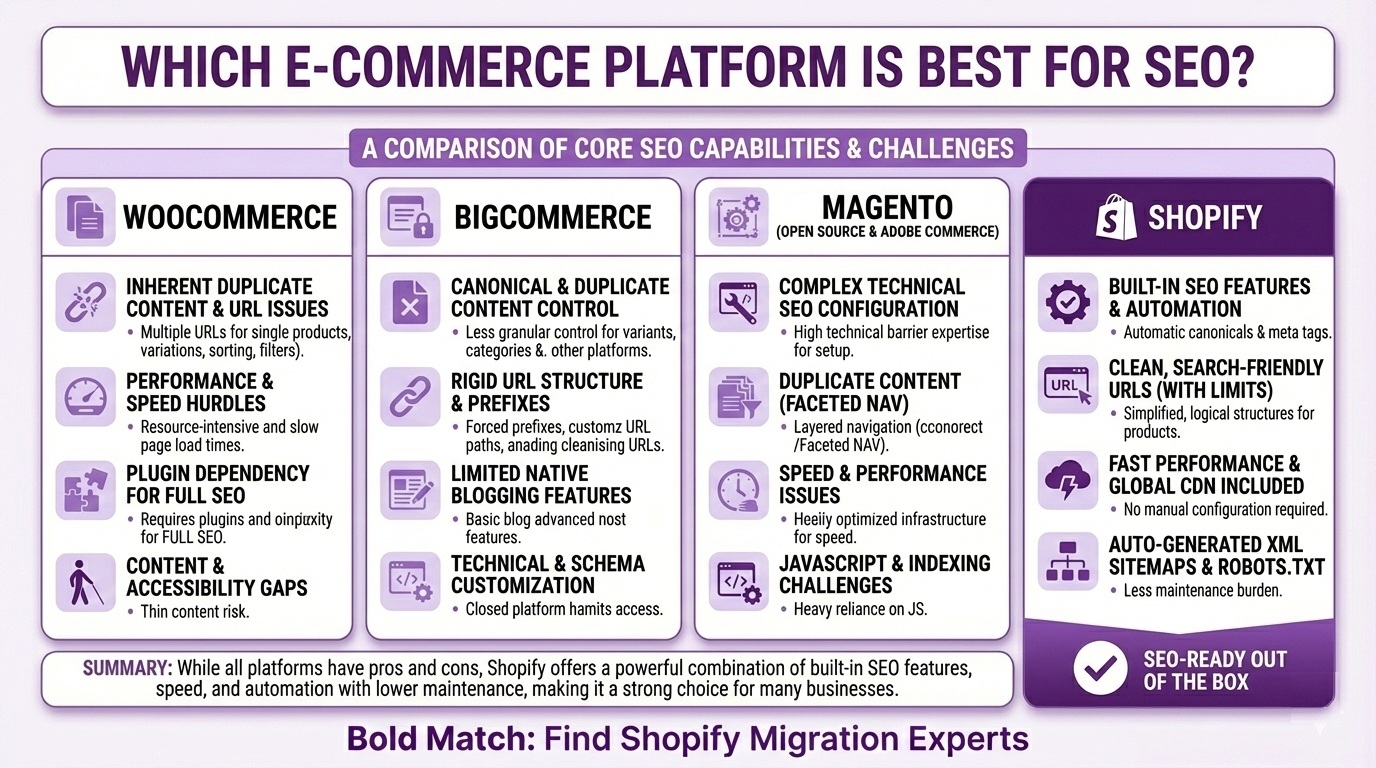
Which e-Commerce Platform is Best for SEO?
|
Feature |
WooCommerce |
BigCommerce |
Magento |
Shopify |
|
URL Flexibility |
High |
Medium |
High |
Limited |
|
Built-in SSL |
Manual |
Included |
Manual |
Included |
|
CDN Performance |
Plugin-dependent |
Included |
Manual setup |
Included |
|
Auto Sitemaps |
Plugin-dependent |
Yes |
Manual config |
Yes |
|
Canonical Control |
Full |
Limited |
Full |
Automatic |
|
Maintenance Burden |
High |
Low |
Very High |
Low |
Frequently Asked Questions (FAQ)
How long does SEO recovery usually take after a platform migration?Honestly that depends on what and how much changed and how big your crawl budget is/was. But. Most properly executed migrations see traffic stabilize within 4 to 8 weeks. Some fluctuation during the first 2 to 3 weeks is normal as Google reprocesses your site. If traffic hasn’t recovered after 3 months, something went wrong that needs investigation. Poorly executed migrations can take 6 to 12 months to recover, if they recover at all.
Should I hire a Shopify Agency or try to handle migration SEO myself?
It depends on the complexity of your online store and your tolerance for risk. Small stores with fewer than 200 products and modest organic traffic can often manage migrations carefully with proper preparation. Larger catalogs, significant organic revenue, or compressed timelines usually justify professional help. The cost of agency support is usually far less than the revenue lost from extended traffic drops. Bold Match can connect you with experienced migration specialists who’ve handled projects like yours.
What’s the difference between an Expert and a Partner Agency for migration projects?
Individual Shopify Experts can be excellent for focused tasks but may lack capacity for complex migrations that require coordinated development, design, and SEO work. Partner Agencies bring teams with specialized roles and established processes for migration projects. For straightforward migrations, an experienced Expert might suffice. For complex migrations involving SEO remediation, custom development, and tight timelines, agencies usually deliver more predictable results.
Can I preserve my exact URL structure when moving to Shopify?
No. Not entirely. Shopify enforces specific URL patterns for products (yourstore.com/products/name) and collections (yourstore.com/collections/name) that can’t be changed. However, you can use 301 redirects to ensure your old URLs send visitors and search engines to the correct new locations. The redirect approach preserves link equity even when URL structures must change.
How do I know if my current platform’s SEO problems are worth migrating to fix?
Consider migration when platform limitations actively constrain your growth. Signs include Core Web Vitals scores that won’t improve despite optimization efforts, security vulnerabilities requiring constant vigilance, plugin conflicts creating unpredictable behavior, or maintenance costs that exceed the value of staying put. If you’re spending more time fighting your platform than growing your business, migration makes sense.
What SEO tasks should I complete before a platform migration versus after?
Before migration, complete your full site crawl, URL mapping, redirect planning, and content audits. Fix obvious on-page issues like missing meta descriptions or broken internal links on your current site before transfer. After migration, focus on verifying redirects work correctly, submitting updated sitemaps, monitoring for crawl errors, and addressing any new technical issues that emerge. Don’t attempt major SEO initiatives like content overhauls during migration itself.
Will Shopify’s URL limitations hurt my SEO compared to more flexible platforms?
Shopify’s URL patterns are SEO-friendly even if not fully customizable. The /products/ and /collections/ prefixes are clear, consistent, and well-understood by search engines. What matters more than URL structure is site speed, mobile performance, security, and content quality. Those are areas where Shopify usually outperforms more flexible platforms that require manual optimization. URL flexibility is less important than URL consistency and proper redirect handling during migration.
How do I find a Shopify Partner Agency that really understands SEO migration?
Just ask potential partner agencies specifically about their migration process. They should be able to explain their redirect methodology, how they handle URL mapping at scale, their approach to preserving metadata, and how they monitor post-migration performance. Request case studies with before-and-after traffic data. Be skeptical of expert agencies who treat SEO as an afterthought rather than a migration priority. Bold Match vets agencies specifically for migration expertise and can match you with partners who’ve successfully handled similar projects.